



Wi-Fi Site Survey: What It Checks Before You Add Access Points
20 October 2026
End-of-Support Firewalls: Why a Device That No Longer Gets Patches Becomes a Risk
28 October 2026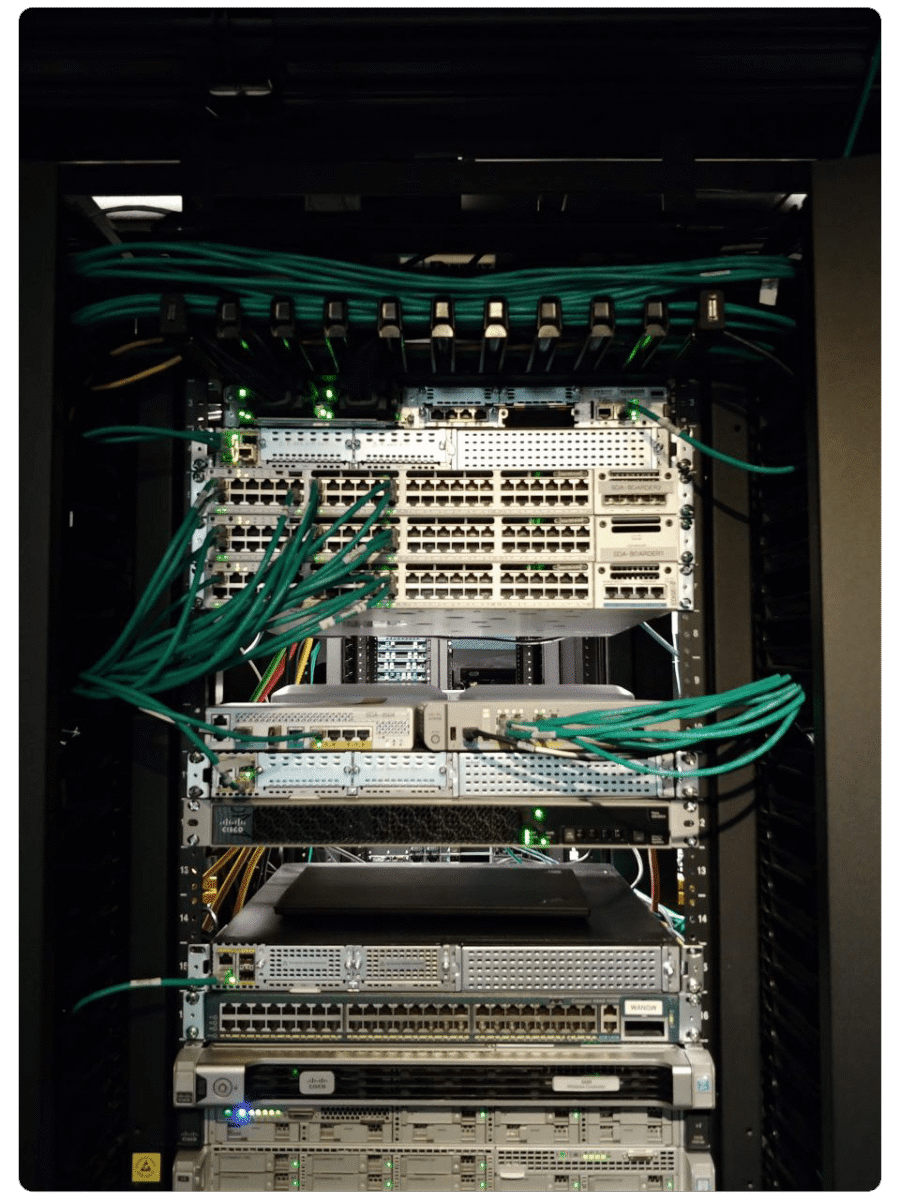
A business network does not need the same attention every week. Some work comes back without surprise: applying the
firewall updates, removing the access of someone who leaves, checking that a backup restores. A monthly block of hours reserves a number of hours each month for the network’s needs. Here is what an organization with 40 or more employees can put on the calendar, based on the recommendations
of the Canadian Centre for Cyber Security. Where those texts set no rhythm, we say so: the frequency is then MPJM’s
choice.
What the block of hours covers
It covers the network: the firewall, the switches, the Wi-Fi, the backups and the Microsoft 365 accounts. It is not
for looking after each computer one by one. The Canadian Centre’s baseline controls count network devices among the
assets to protect, and allow an organization to have their secure configuration done by an IT service provider
(Baseline controls, section 3.4).
Every month
Firewall, switch and access point updates
The Canadian Centre asks that a security patch be applied as soon as possible after it is released, and that patching
be treated as a continual process
(ITSAP.10.096). Each month, we look
at the versions the manufacturer publishes, back up the device’s configuration, apply the update, then confirm it
succeeded.
People who join and people who leave
The Canadian Centre’s baseline controls ask for individual accounts, with only the privileges needed, and a process to
revoke accounts that are no longer needed, for example when an employee leaves (baseline controls, BC.12).
In Microsoft 365, the content of a deleted account stays recoverable for 30 days
(Microsoft Learn):
email and files are recovered before, not after.
Administrator accounts
We read the list of people with administrative privileges, and remove the ones no longer needed. The Canadian Centre
asks to do this frequently
(Top 10 actions, action 3).
Only the Microsoft 365 emergency account stays apart.
A test restore
A backup that has never been restored is an assumption. The Canadian Centre’s ransomware playbook suggests a schedule
to test backups on a regular basis, for example monthly
(ITSM.00.099). We restore a folder or a test
server, and note what worked. Our article on the 3-2-1 rule explains where
those copies should live.
Every quarter, MPJM’s choice
No official text sets a rhythm for these reviews. The quarter is our choice, so they do not slip from one year to the
next.
- Firewall rules. Each rule still has a reason to exist, and remote access goes through a VPN with two-factor
authentication (baseline controls, BC.9.1 to BC.9.3). Our article on
remote access details the choices. - Wi-Fi. The guest network stays apart from the internal network and the printers (baseline controls, BC.9.5),
and the name and password the devices shipped with have been changed. Our article on
guest Wi-Fi explains how. - Segmentation. We review the network’s zones and what passes from one to another (Top 10 actions, action 5).
Every year
- The network hardware inventory, with its end-of-support dates. The Canadian Centre asks to replace a device whose
manufacturer no longer publishes patches (ITSAP.10.096). - An exercise of the incident plan, once a year, as the Canadian Centre suggests
(ITSAP.10.102).
What does not go on the calendar
Changing passwords on a fixed date: the Canadian Centre asks to do it only on suspicion or evidence of compromise
(baseline controls, BC.5.2).
A calendar to start with
| Rhythm | Work |
|---|---|
| Every month | network device updates; people who join and leave; administrator accounts; a test restore |
| Every quarter | firewall rules; Wi-Fi and the guest network; segmentation |
| Every year | inventory and end-of-support dates; the incident plan exercise |
Frequently asked questions
Which tasks belong on the monthly checklist, and which are quarterly?
Every month, network device updates, people who join and leave, the administrator list and a test restore. Every
quarter, the firewall rules, the Wi-Fi and the segmentation.
How should network maintenance work be spread across the year?
In three rhythms. What protects right away comes back every month, configuration reviews every quarter, the inventory
and the incident plan exercise once a year.
What should a preventive check cover on switches and Wi-Fi?
The firmware version and the updates on offer, a copy of the configuration, unused ports turned off, and for Wi-Fi, a
guest network kept apart from the internal network.
What now?
MPJM’s monthly block of hours reserves this time each month for your
network. If you do not yet know where your network stands, the
free network analysis starts there: its report becomes the starting
point of a block of hours. It is meant for organizations with 40 or more employees.
P.S. Sixteen questions, eight domains, a clear picture of your strengths and blind spots: start the assessment.
